Load a file or find one online, show two languages at once, sync them to the audio, and turn on live captions made on your computer.
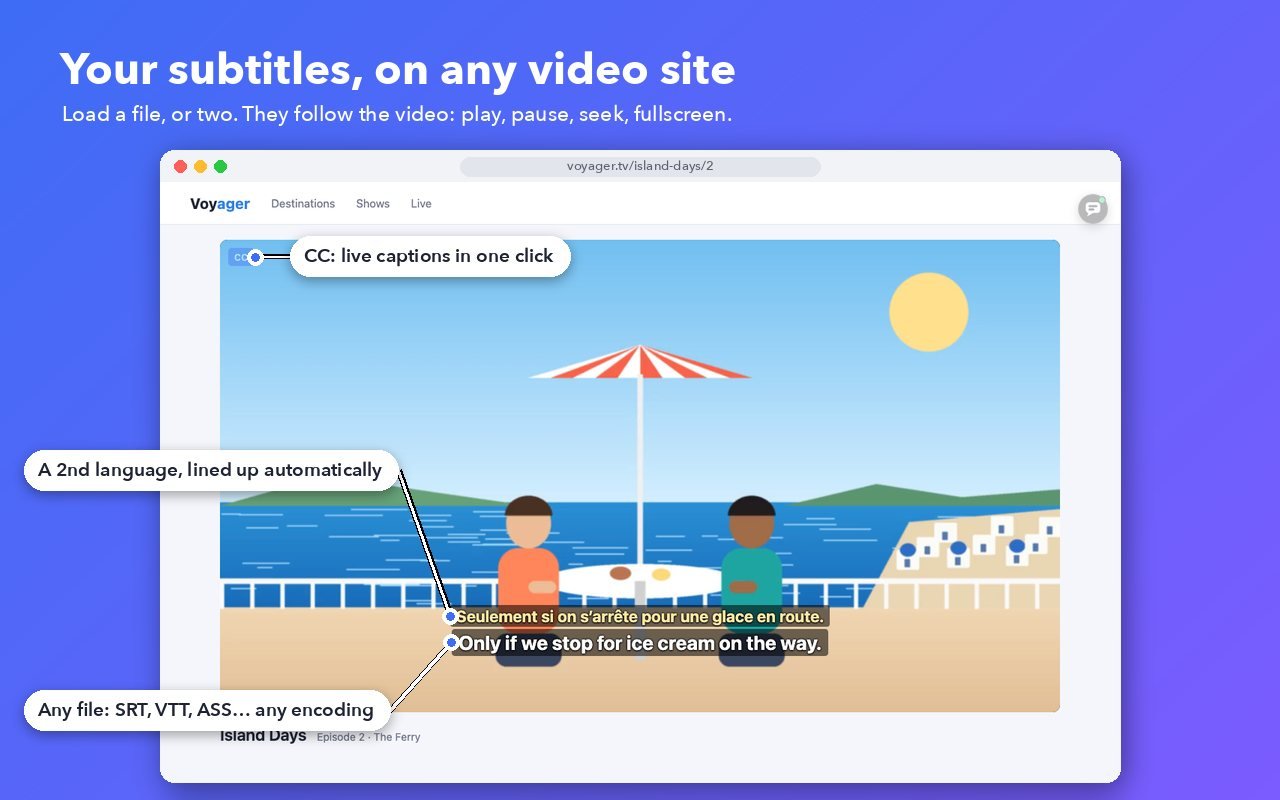
It works on the video sites you already use: streaming services, course platforms, video sites. Free, with no account.
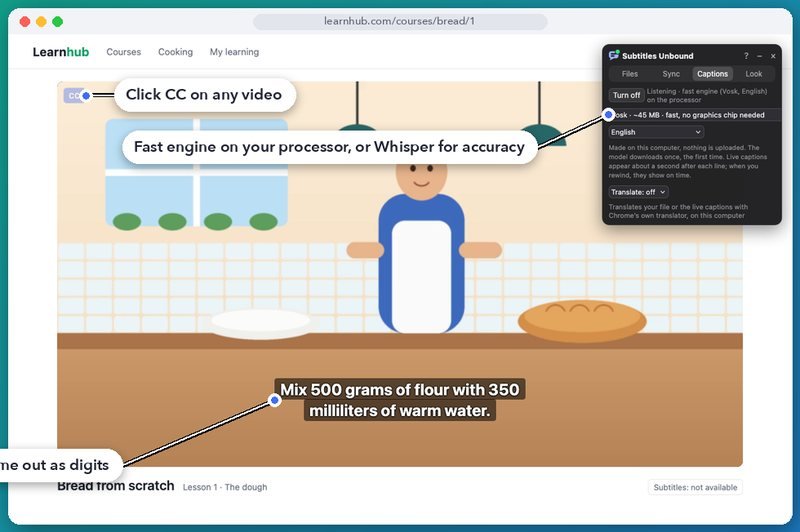
Click CC and the film's speech becomes captions, word by word. They are made on your computer by an open-source speech engine: nothing you watch or hear is uploaded.
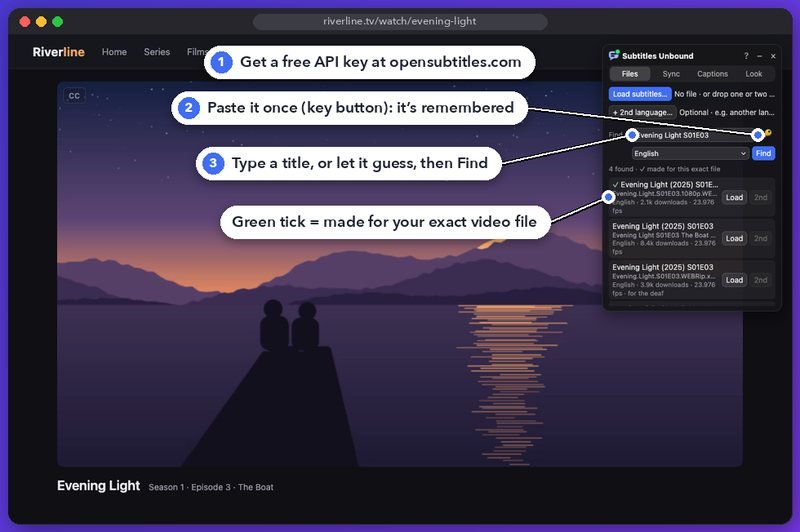
Search OpenSubtitles.com right from the panel. When the page plays a real video file, subtitles made for that exact file come first.
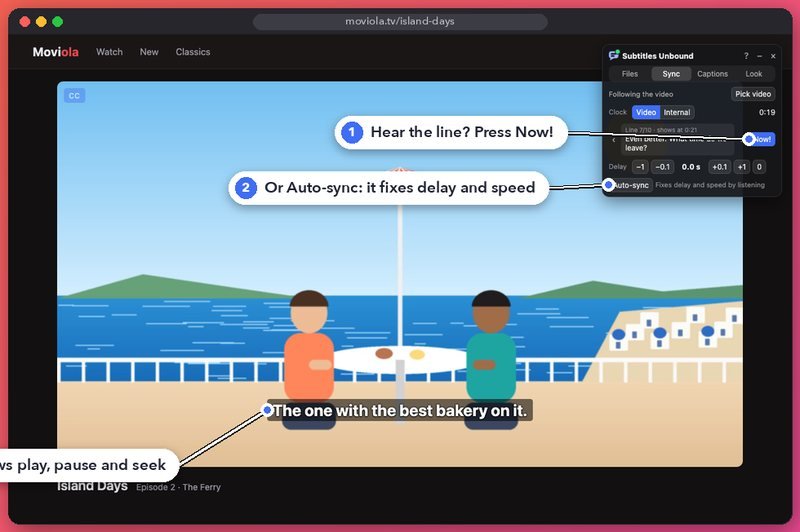
Press Now! when you hear a line to lock the timing, or let Auto-sync listen to the dialogue and fix the delay and speed. Then they follow play, pause and seek.
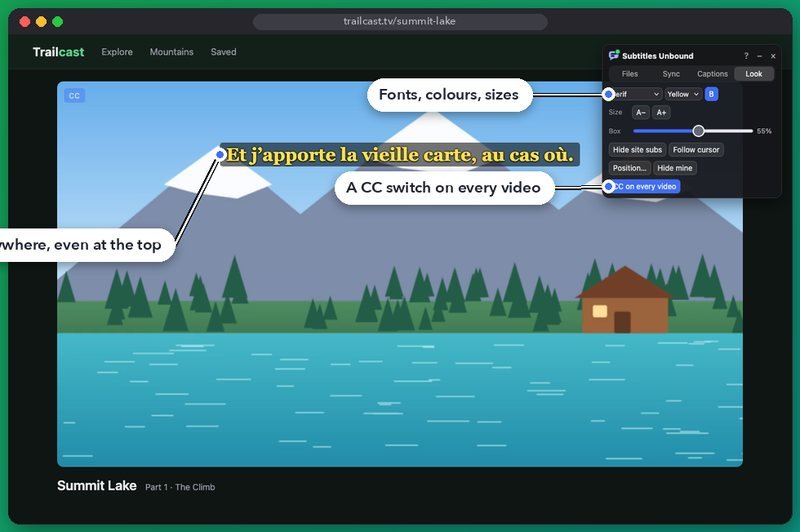
Choose the font, colour, size and background, and hide the site's own subtitles if you like.
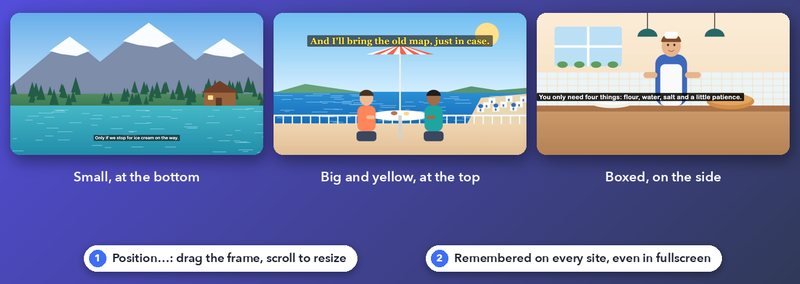
Drag them where you like and size them as you like. Your choice is remembered on every site, even in fullscreen.
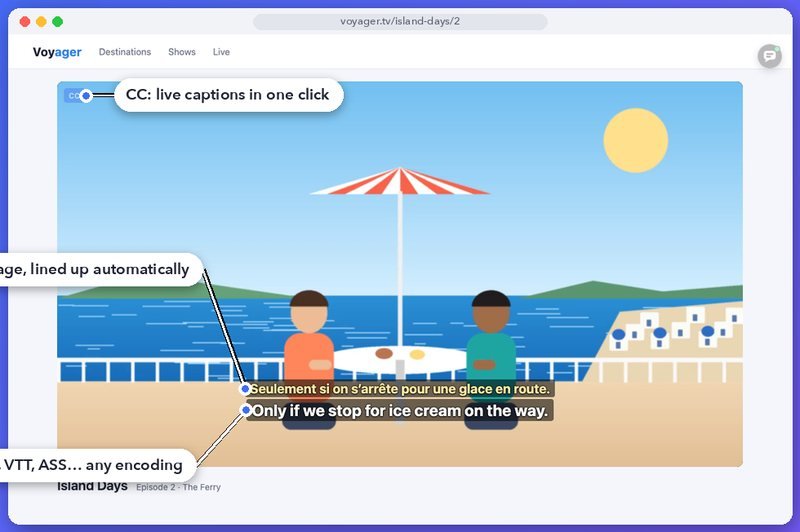
SRT, VTT, ASS/SSA, MicroDVD, MPL2 and TMPlayer, in any encoding. A second language lines up with the first by itself, even when the frame rates differ.
Subtitles Unbound searches OpenSubtitles.com, the largest free subtitle library. It needs your own free API key, which you set up once.
Sign in at opensubtitles.com, open API consumers and create a new consumer. Copy its API key.
In the Files tab, click the key button and paste it. It's remembered in your browser for good and sent only to OpenSubtitles.
Type a title (or let it guess from the page) and press Find. Load a result, or add it as the second language.
No account, no tracking, no ads.
 Subtitles Unbound